SOS button
Press the SOS button to call and alert your emergency contacts. Agree a response plan with them before use.

Safety and connection, on your wrist
Keep your independence and stay connected to the family and carers you choose.
SOS alerts, location sharing and two-way calling bring everyday reassurance together in one watch.
Compare plans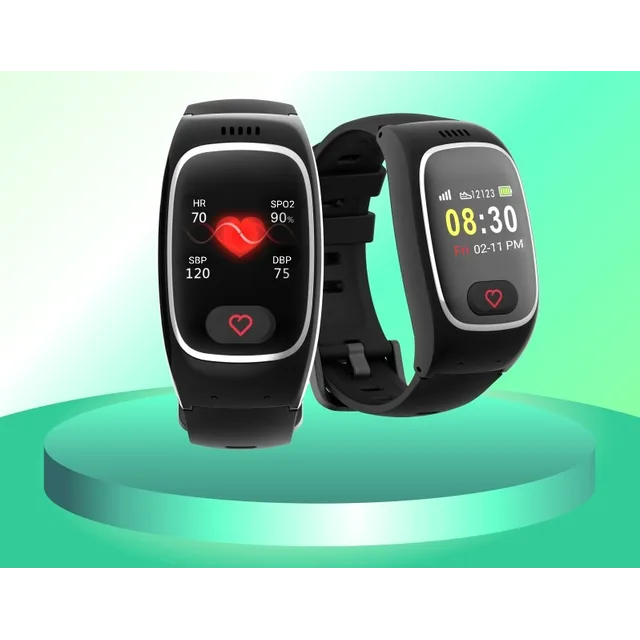
Press the SOS button to call and alert your emergency contacts. Agree a response plan with them before use.
Fall alerts can let your chosen contacts know you may need support. Not every fall will be detected.
View location and set zones in the app. Location alerts can help contacts follow up when you leave a familiar area.
Speak with family or carers through the watch when you need a familiar voice.
Connect through the built-in mobile network without reaching for a separate phone. Mobile coverage is required.
View heart rate, SpO2, blood pressure and temperature as everyday wellness indicators.
ytals is not a medical device and does not replace medical advice or emergency services.
Calling, location and alerts depend on mobile coverage, a charged watch and contacts being available. The watch does not guarantee an emergency response.
How it works
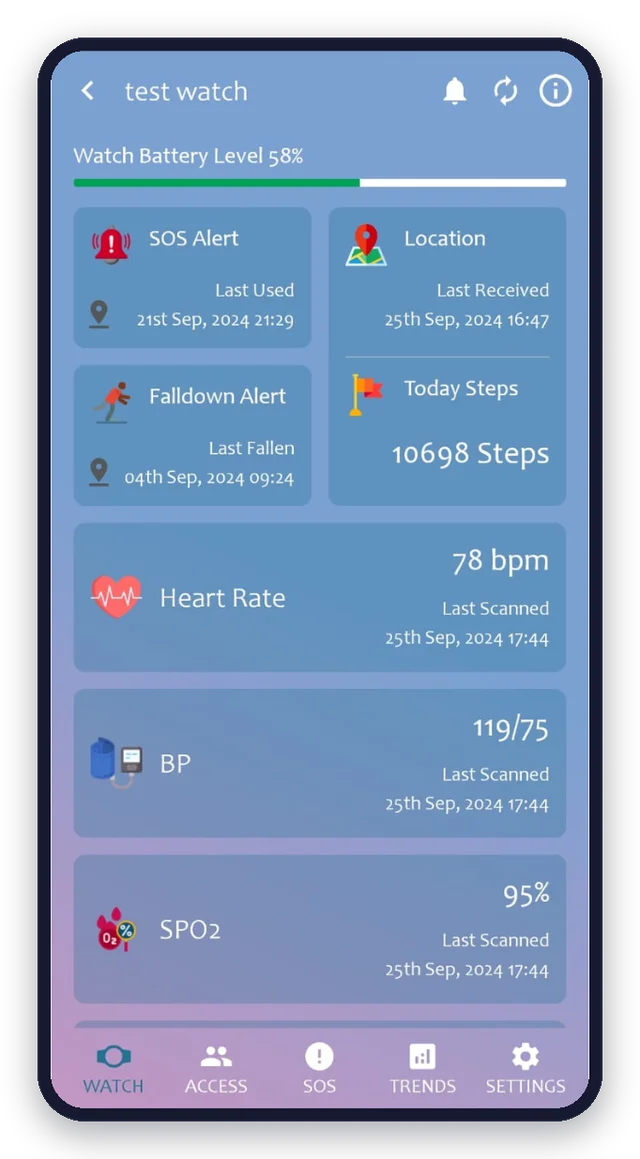
The app and dashboard
Manage watches, set intervals and access permissions, and review location, SOS and fall-alert history in one place.
The web dashboard and mobile app also show wellness indicator history and graphs.
ytals is not a medical device and does not replace medical advice or emergency services.
Compare the ways to access your watch and discuss any questions with our team.